What did you really make this year?
Bookkeeping Tracker
Type your sales and your expenses. The dashboard takes off platform fees, puts your tax share aside, and shows what is really left, this year and month by month.
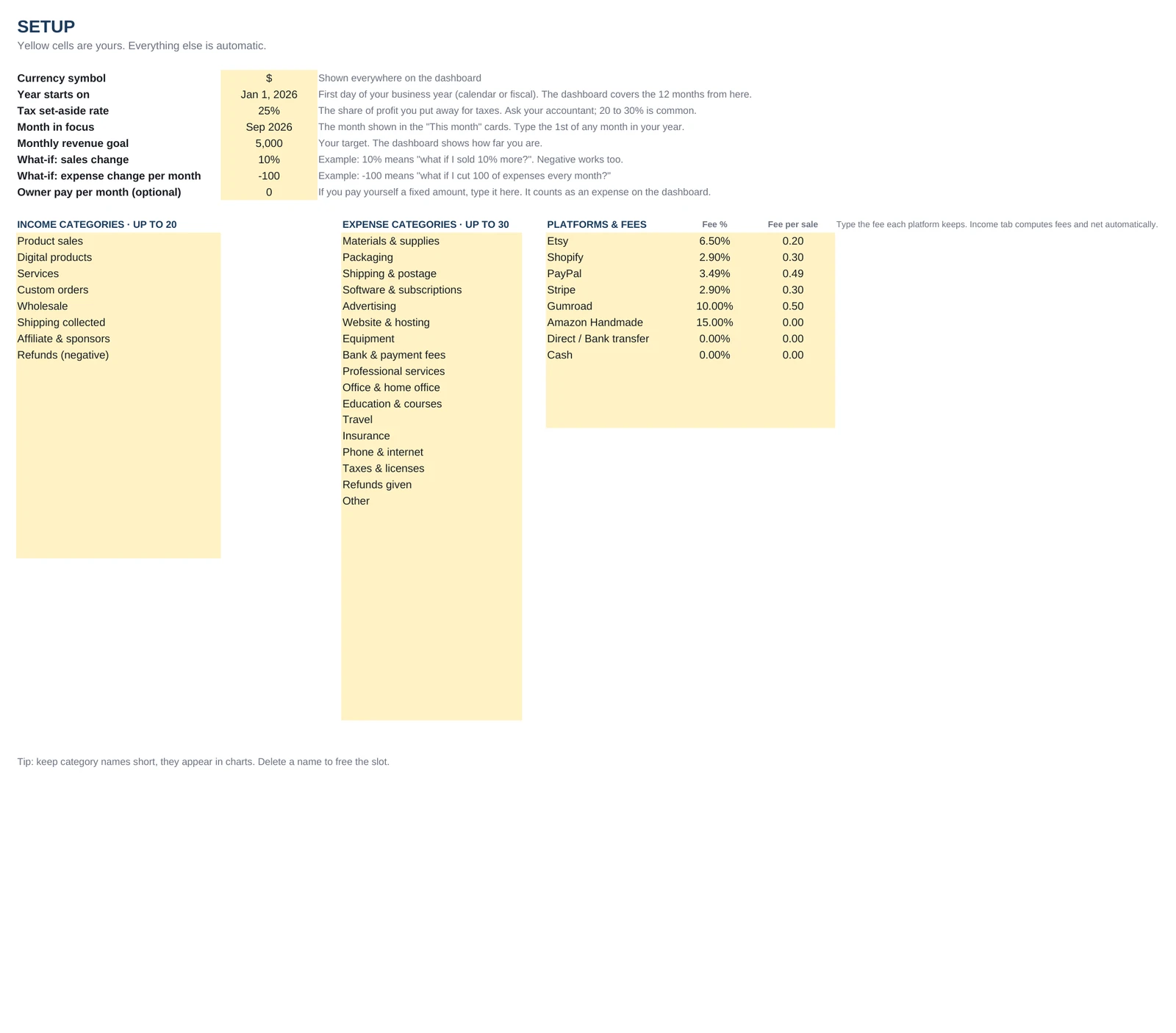
- Etsy, Shopify, PayPal, Stripe, Gumroad fees
- Tax set-aside at the rate you choose
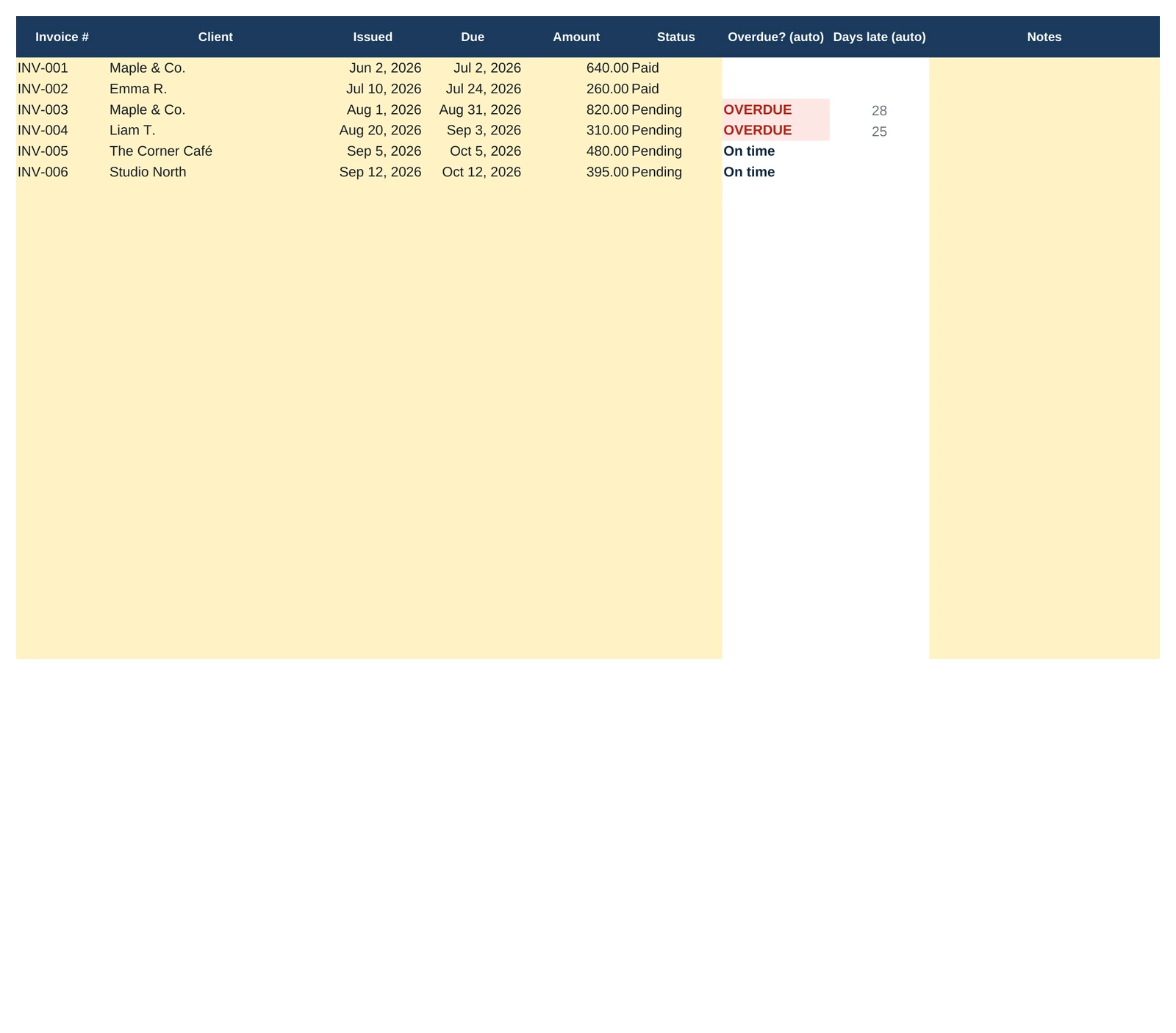
- Invoices: overdue ones flag themselves
- Excel 2016+ and Google Sheets, on a computer
$6.99
One-time purchase
Instant download
Instant download
In the download: the Excel file (.xlsx) and the Quick Start PDF, with your Google Sheets copy link and the video tutorial.
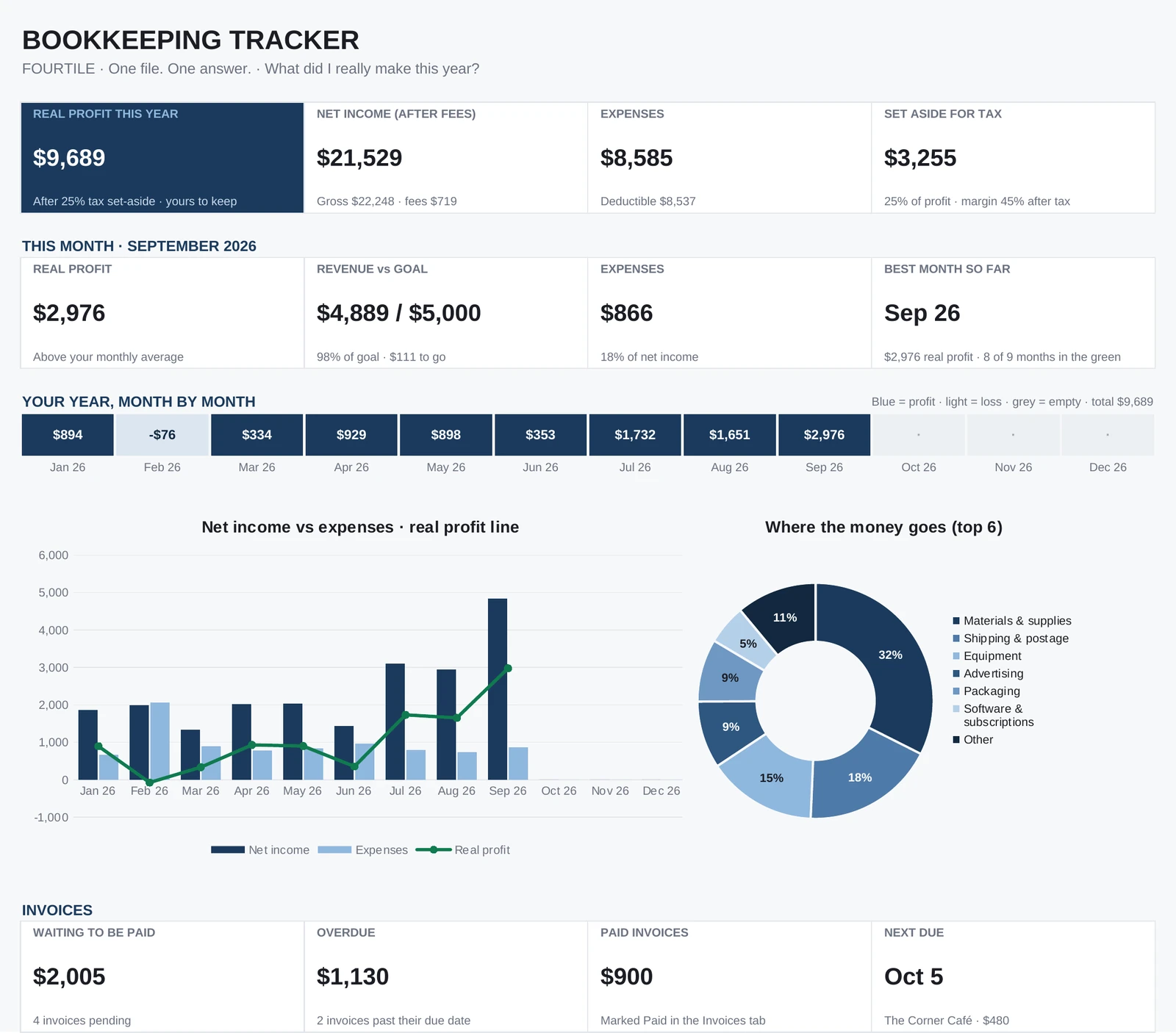
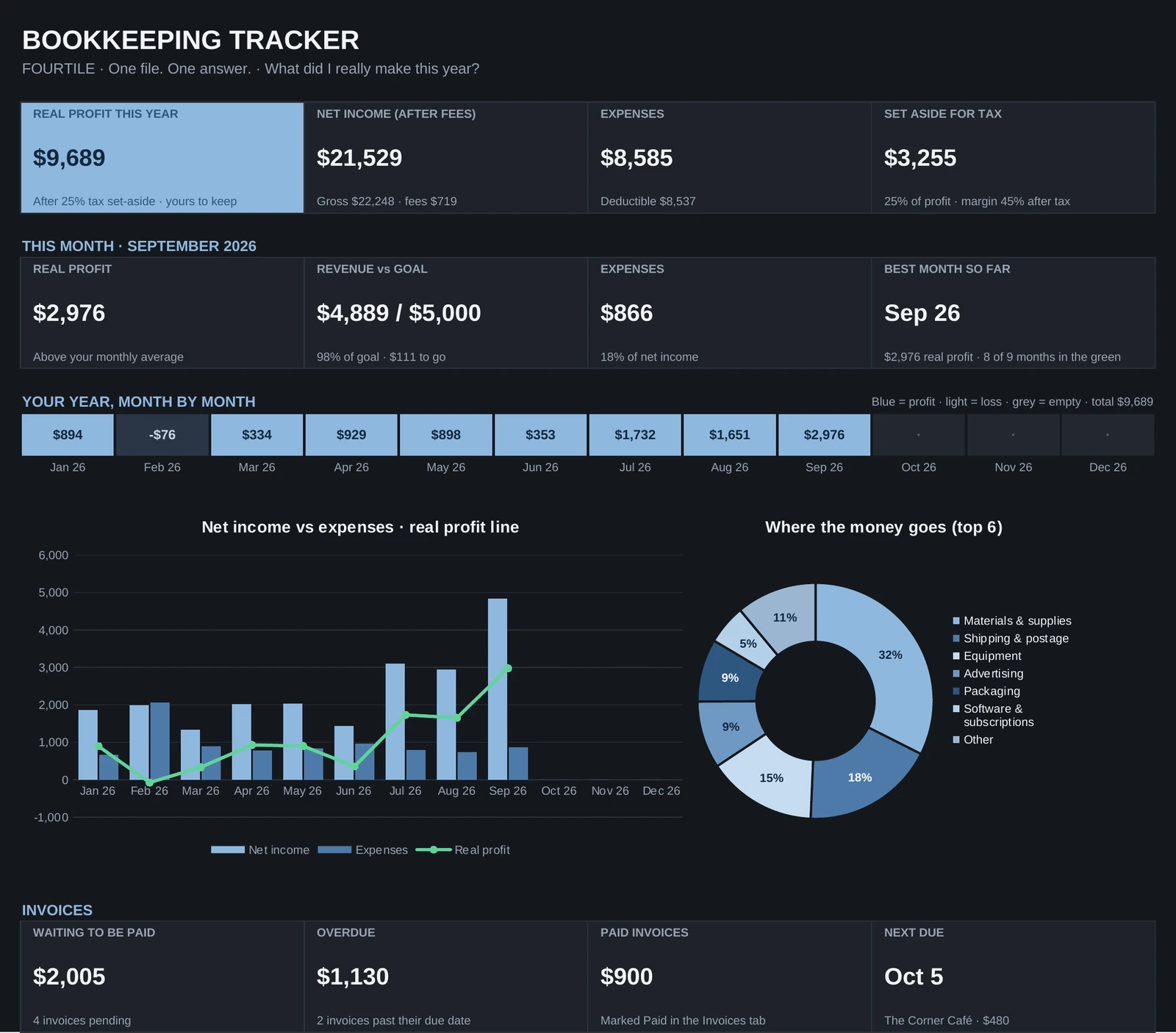
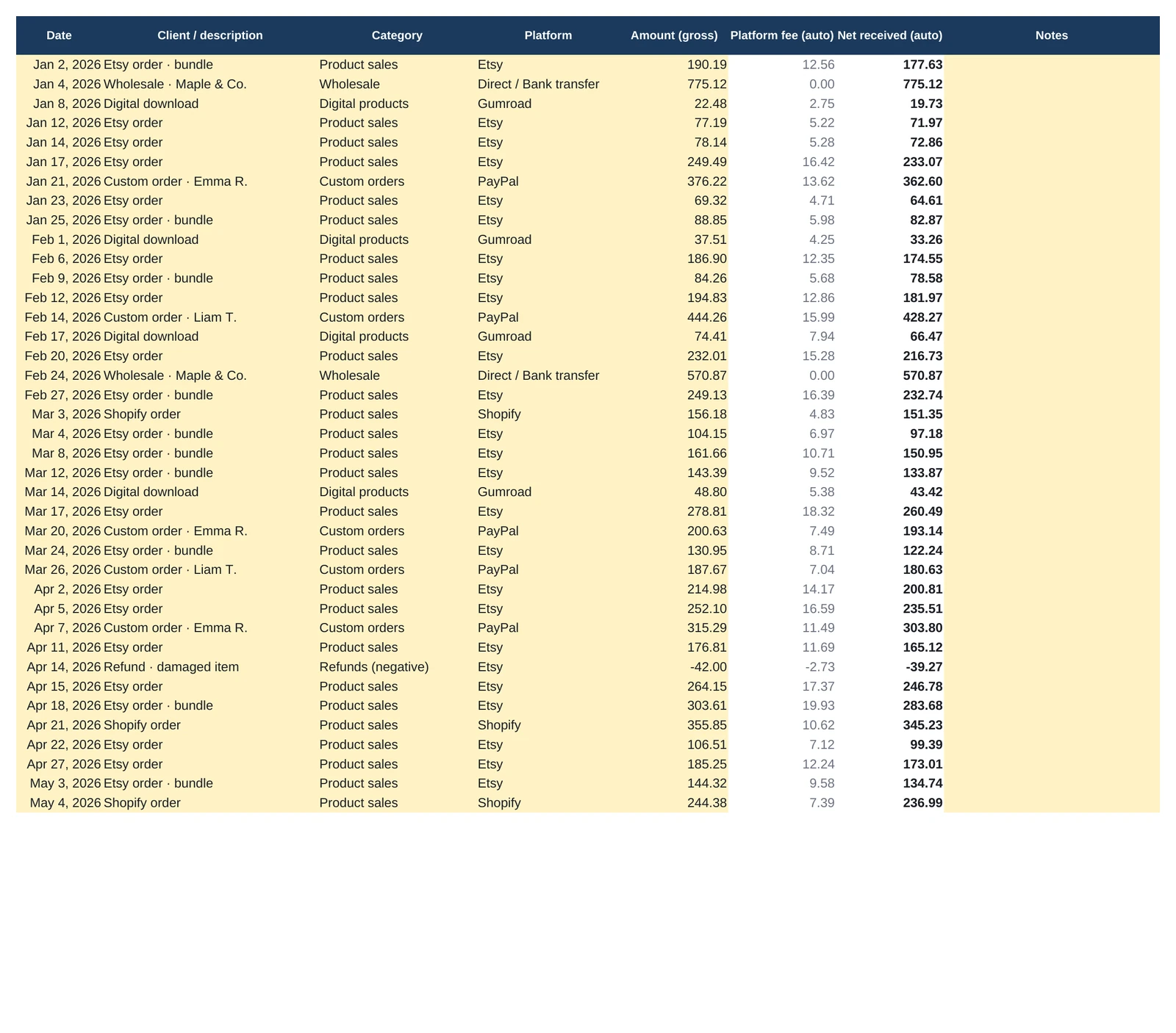
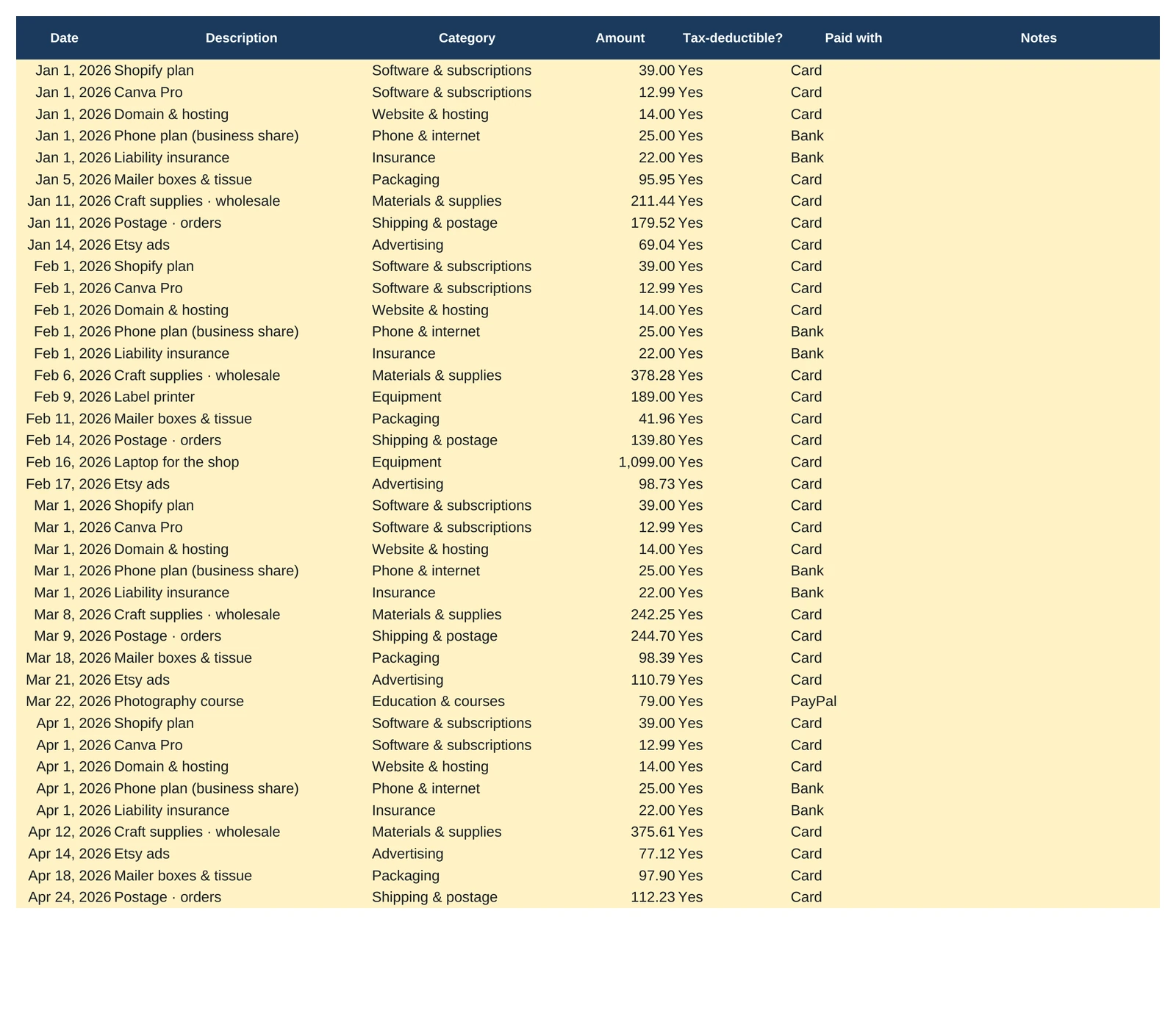
Every image is the real file, with its sample dataClick a tab, click to zoom
The dashboard
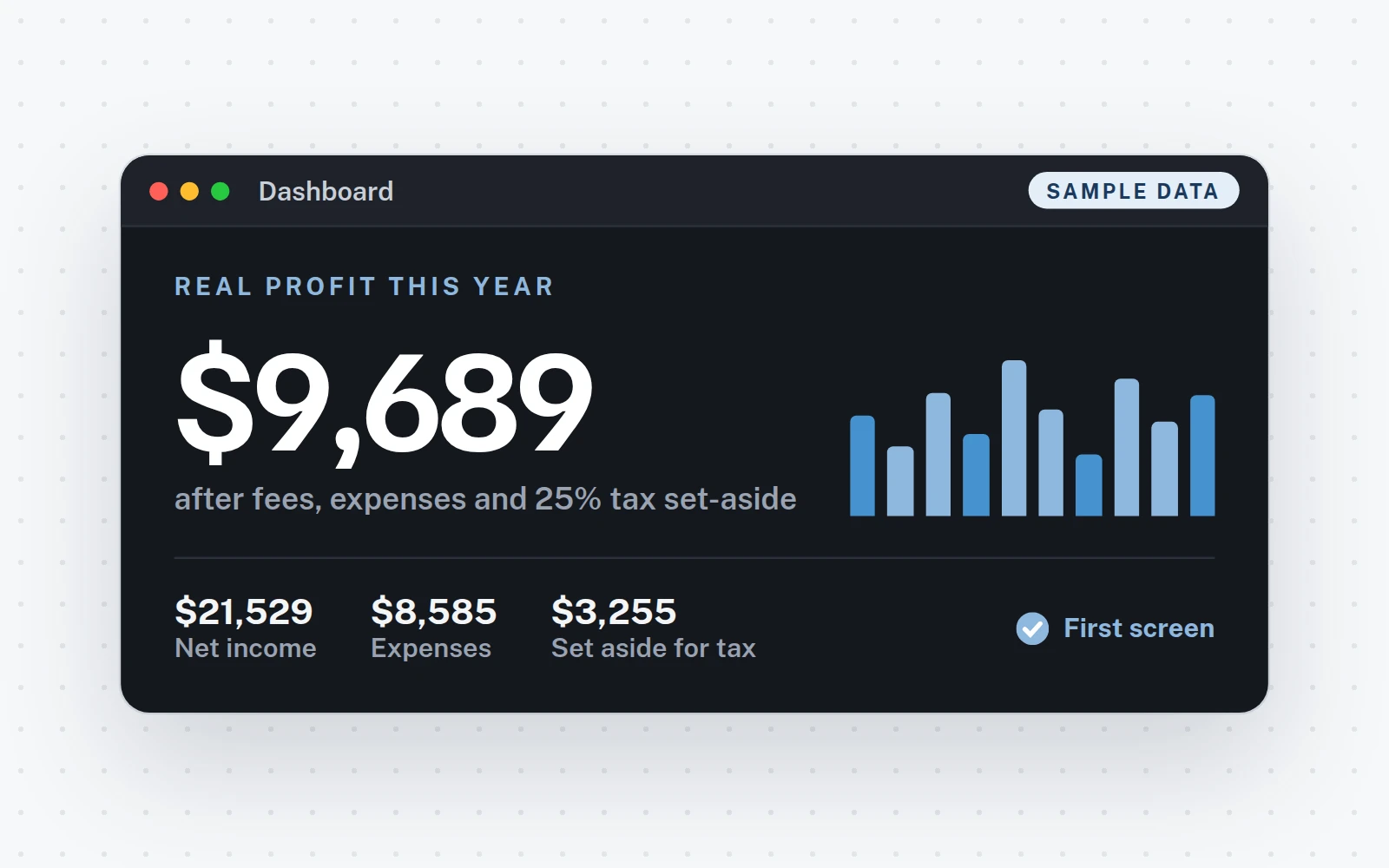
The answer, on the first screen.
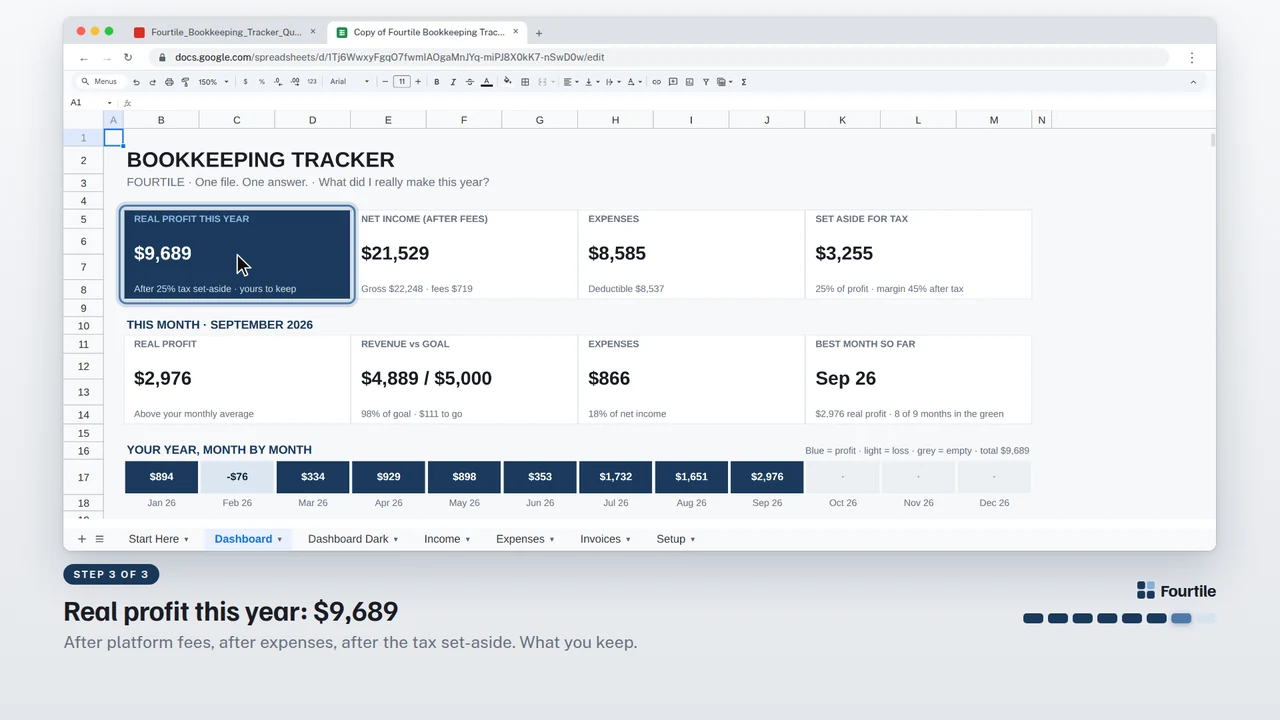
Everything on this page is calculated from the tabs you fill in. Here is what each part tells you, shown with the sample data.
- 1Real profit this yearYour answer: after platform fees, expenses and the tax you set aside.
- 2Net income, expenses, taxGross minus fees, what you spent (with the deductible part), and the share put aside.
- 3This monthProfit, revenue against your goal, expenses, and your best month so far.
- 4Your year, month by monthBlue for profit, light for a loss, grey for nothing logged yet.
- 5ChartsNet income vs expenses with your real profit line, and where the money goes.
- 6InvoicesWhat is waiting, what is overdue, and who pays next.
How it works
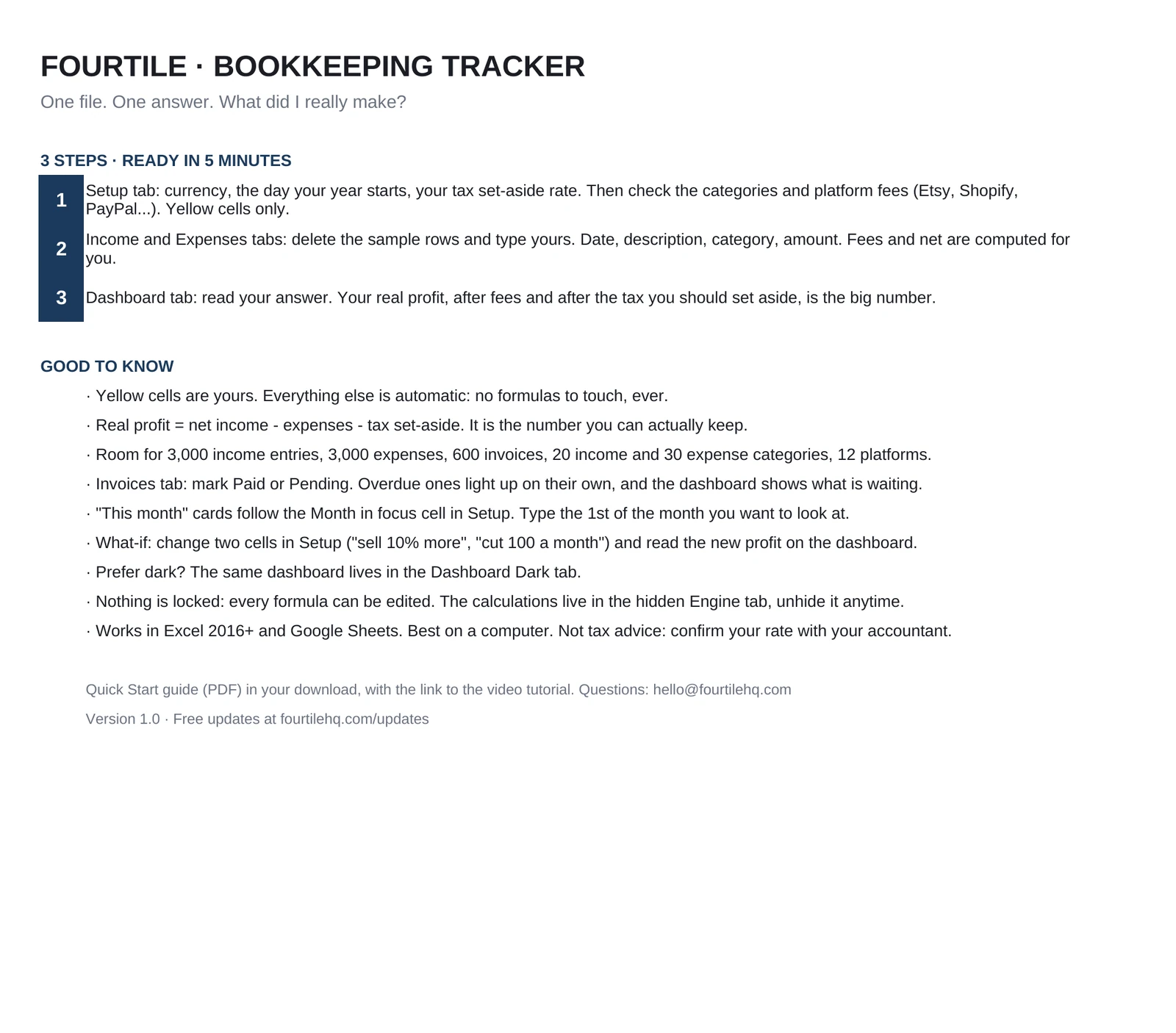
Three steps, about 5 minutes.
11 minute
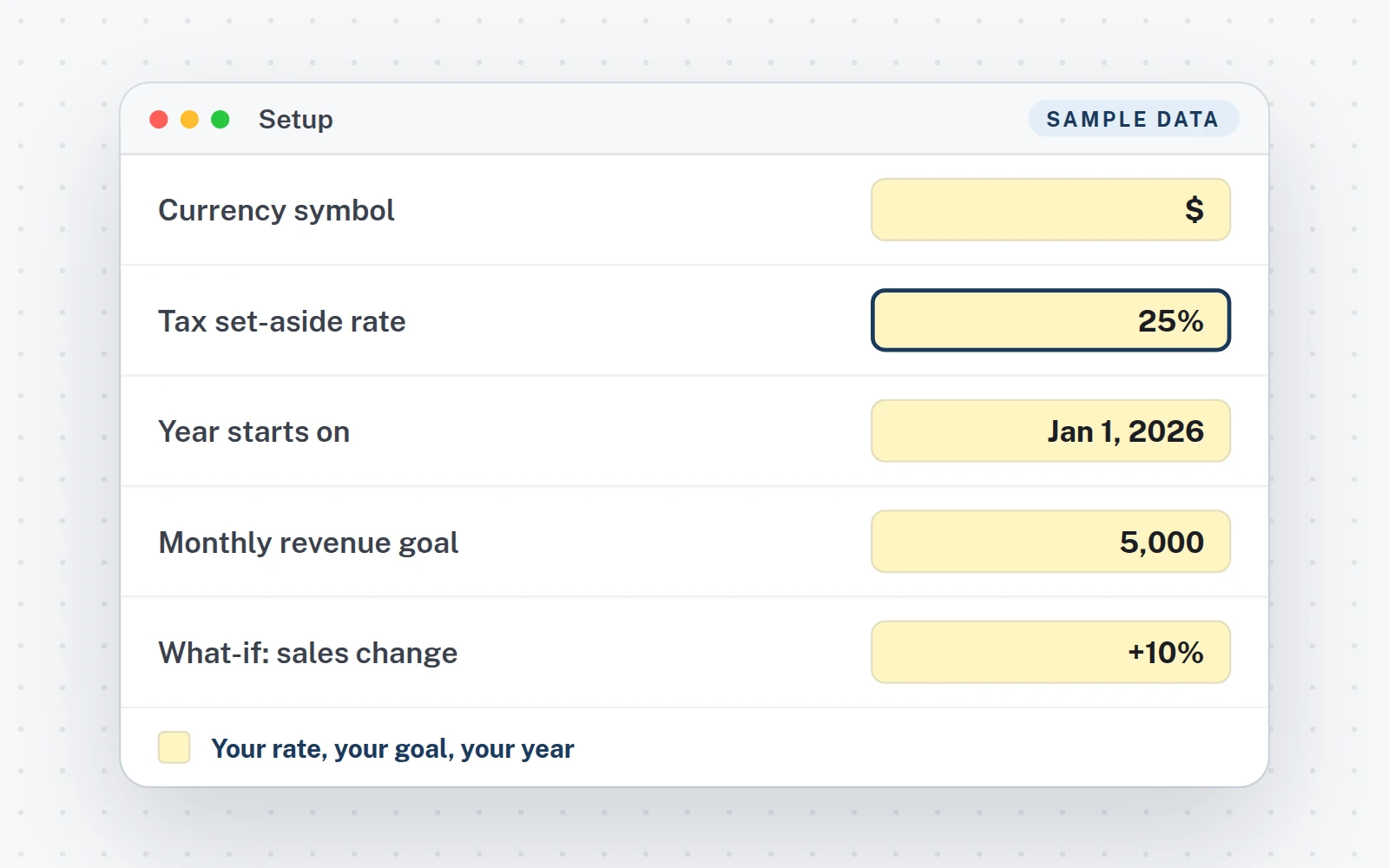
Set it up once
Setup tab: currency, year start, tax set-aside rate. Platform fees come pre-filled; check them.
2As you go
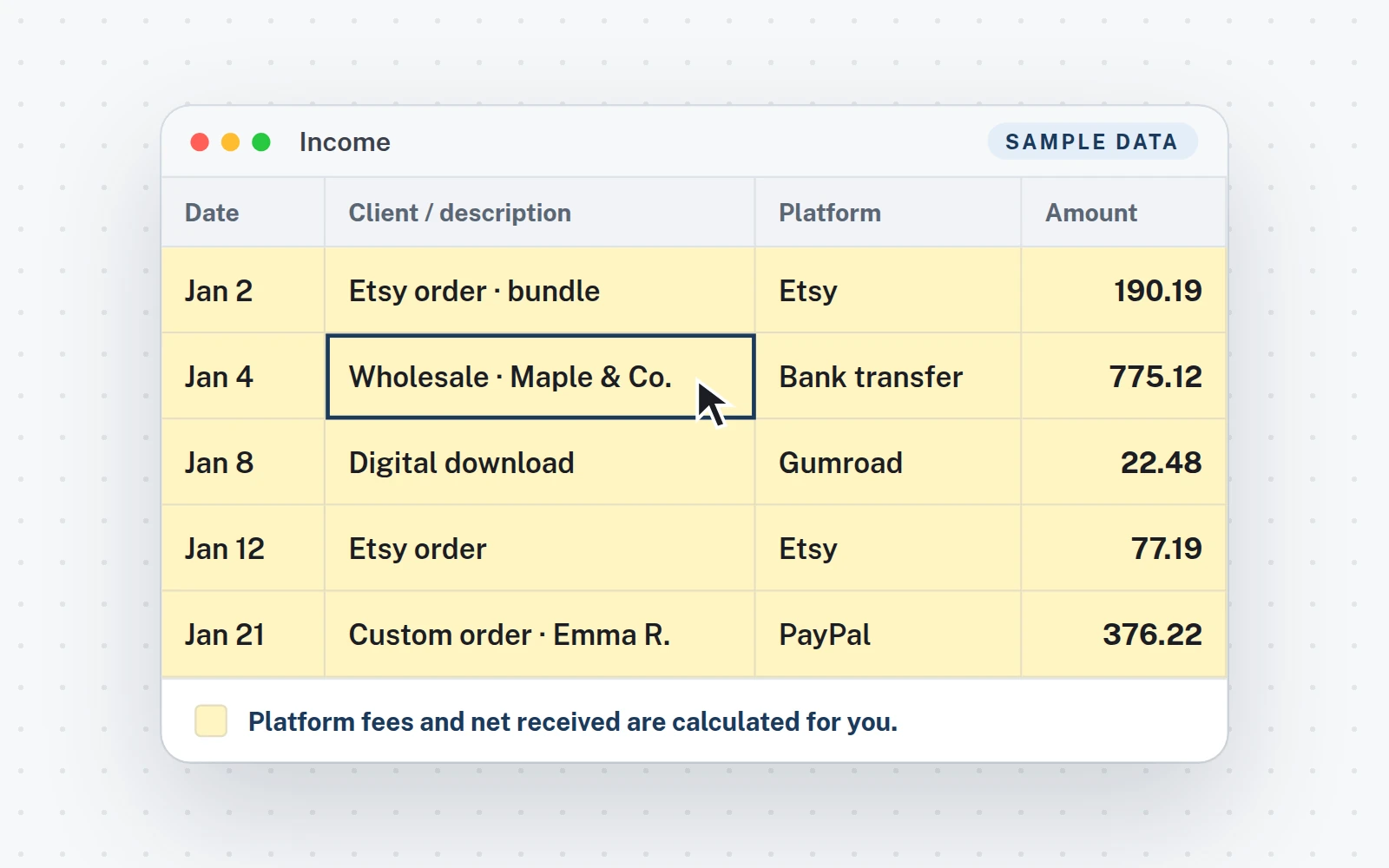
Type sales and expenses
Income and Expenses tabs: one line each. Fee and net received fill themselves.
3Instant
Read your real profit
Dashboard tab: your real profit, after fees and tax set-aside, is the first thing on the page.
What you get
Everything in the download.
The files
- XLSXThe Excel fileTabs: Start Here · Dashboard · Dashboard Dark · Income · Expenses · Invoices · Setup.
- Your Google Sheets copyClick the link in your PDF, then Make a copy: it is yours, in your Drive.
- Quick Start guideA 5-page PDF: your links, then the setup step by step.
- Video tutorial (1:44)From the download to your answer.
- Free updatesNew versions at no cost, where you bought the file.
Works in
- Excel 2016 or newerWindows and Mac. Made for a computer screen.
- Google SheetsIn your browser, with a free Google account.
- Real formulas, nothing lockedThe calculations sit in one hidden tab you can unhide.
- $€£Any currency, any regional settingType your symbol once. Labels are in English; the formulas work in any Excel or Google Sheets language. No macros, no add-ins.
Try it
What if you sold 10% more?
This is the Bookkeeping Tracker's own what-if, running on its sample year. Move both numbers, like the two cells in the Setup tab.
Platform fees follow your sales. The tax set-aside (25% in the sample) is taken on each month's profit; a month with a loss sets nothing aside.
Real profit becomes
$11,997
+$2,309vs $9,689 this year
Set aside for tax$3,999
Sell 10% more and change expenses by -$100 a month: your real profit becomes $11,997 (+$2,309).The same sentence, on the file's dashboard
 1:44
1:44
Video tutorial · 1:44
Watch the whole setup.
- 0:00Your download: the tracker, the Quick Start PDF and your Google Sheets copy
- 0:16Start here, then step 1: currency, tax rate, platform fees and what-if
- 0:41Step 2: type a sale, fees and net are automatic
- 1:01Expenses and invoices: overdue ones flag themselves
- 1:15Step 3: read your real profit, and dark mode
FAQ
Questions about this file.
Which platforms are included?
Etsy, Shopify, PayPal, Stripe, Gumroad, Amazon Handmade, bank transfer and cash come pre-filled. Check the rates against your own statements, or add your own: up to 12 platforms.
How is the tax set-aside calculated?
At the rate you choose in Setup, on each month's profit. A month with a loss sets nothing aside. It is money you put away, not a tax return.
Can I start in the middle of the year?
Yes. Set the day your year starts (calendar or fiscal), type what you have, and keep going.
How many entries does it hold?
Room for 3,000 income entries, 3,000 expenses and 600 invoices, with 20 income and 30 expense categories.
Is it made for phones?
No. It is built for a computer screen: Excel 2016 or newer on Windows or Mac, or Google Sheets in a browser.
Is this tax advice?
No. It is a bookkeeping tool. Confirm your tax rate and your deductions with an accountant where you live.
Bookkeeping Tracker · $6.99
One-time purchase · instant download · Excel and Google Sheets · free updates
Also from Fourtile
Another question, another file.