When will you be debt-free?
Debt Payoff Tracker
Type your debts, pick a strategy, and read your debt-free date on the first screen, with your month-by-month plan and the interest you save.
- Up to 50 debts, any currency
- Snowball, Avalanche or your own order
- What-if: see what $50 more a month changes
- Excel 2016+ and Google Sheets, on a computer
$6.99
One-time purchase
Instant download
Instant download
In the download: the Excel file (.xlsx) and the Quick Start PDF, with your Google Sheets copy link and the video tutorial.
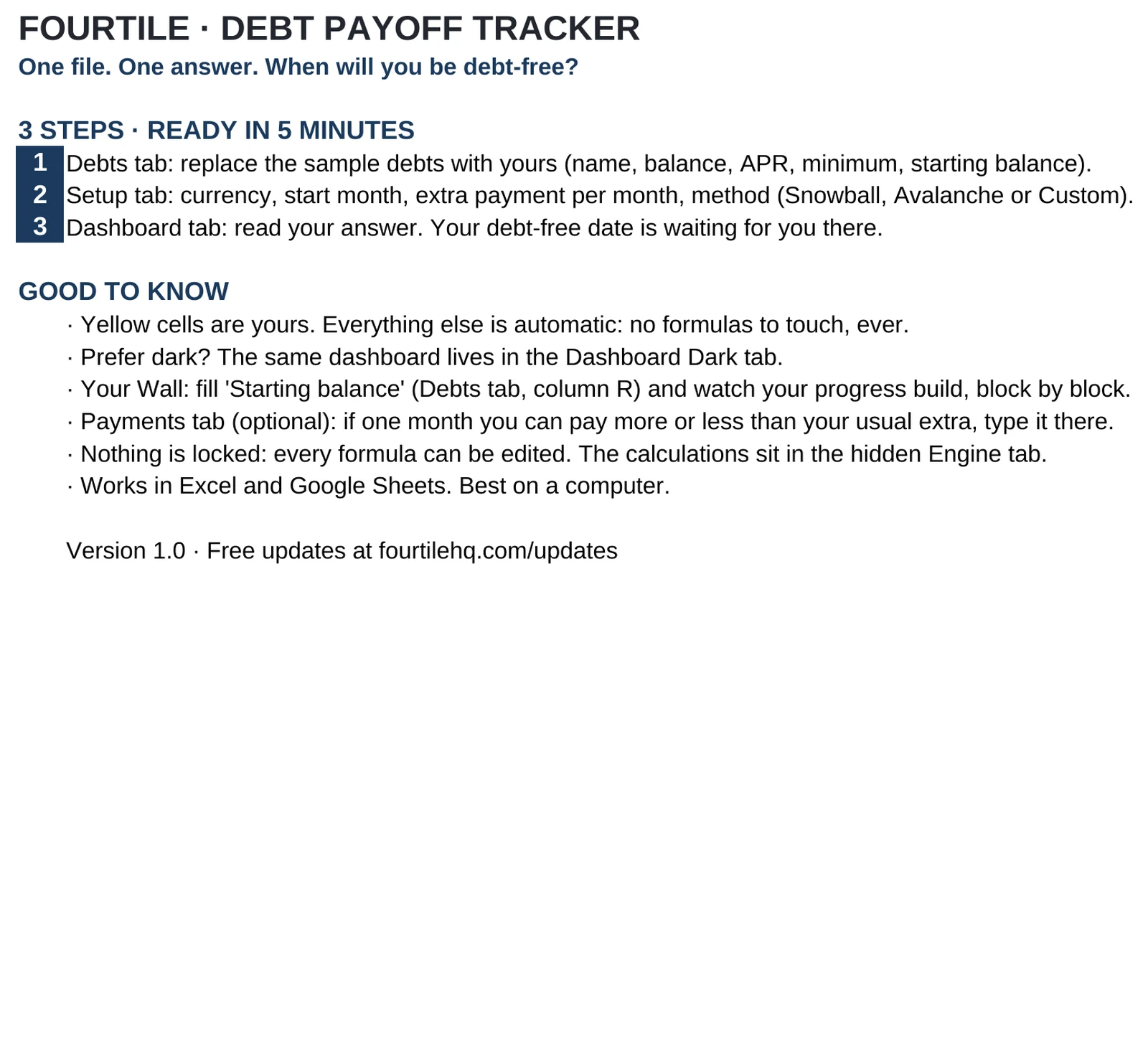
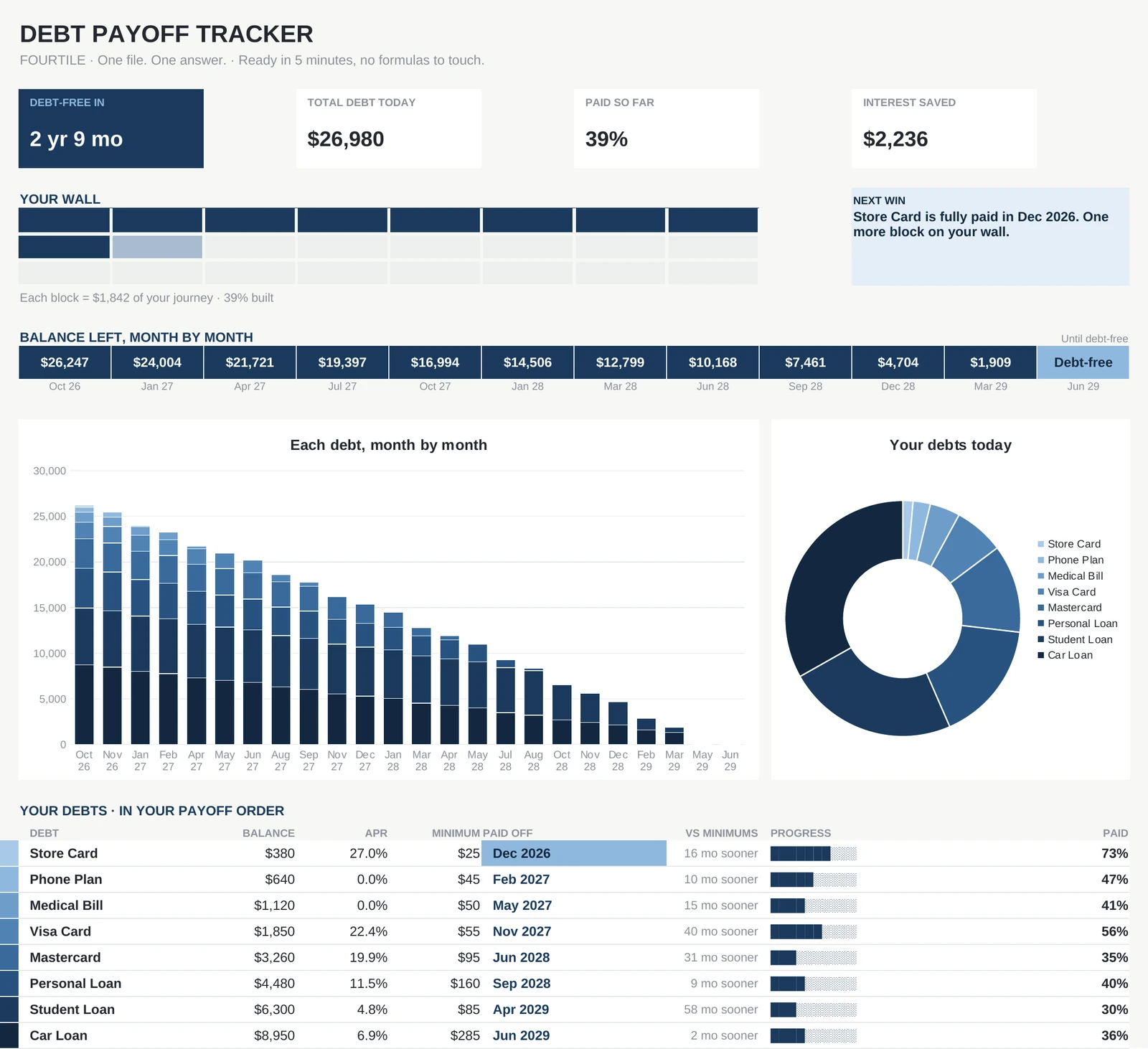
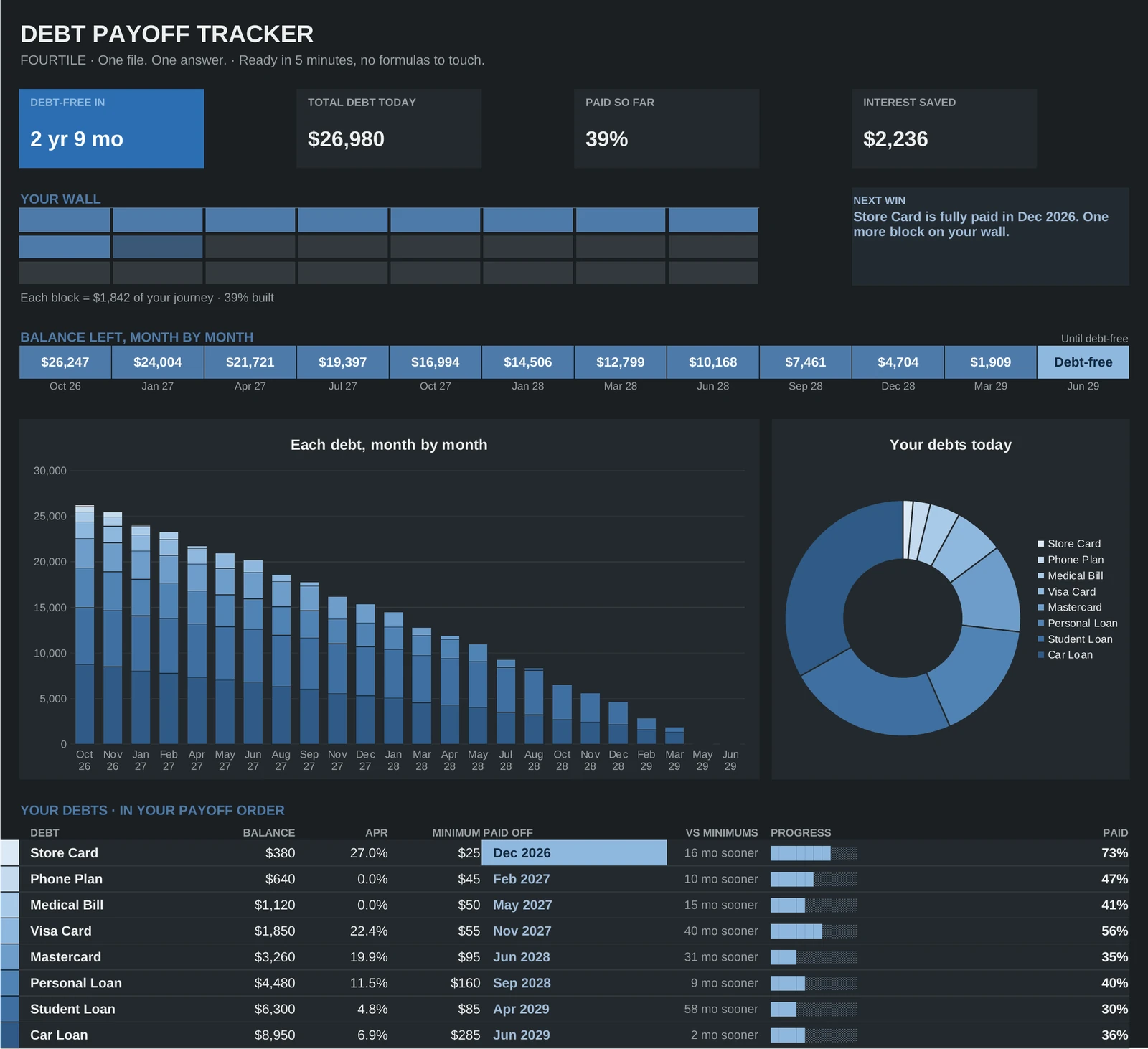
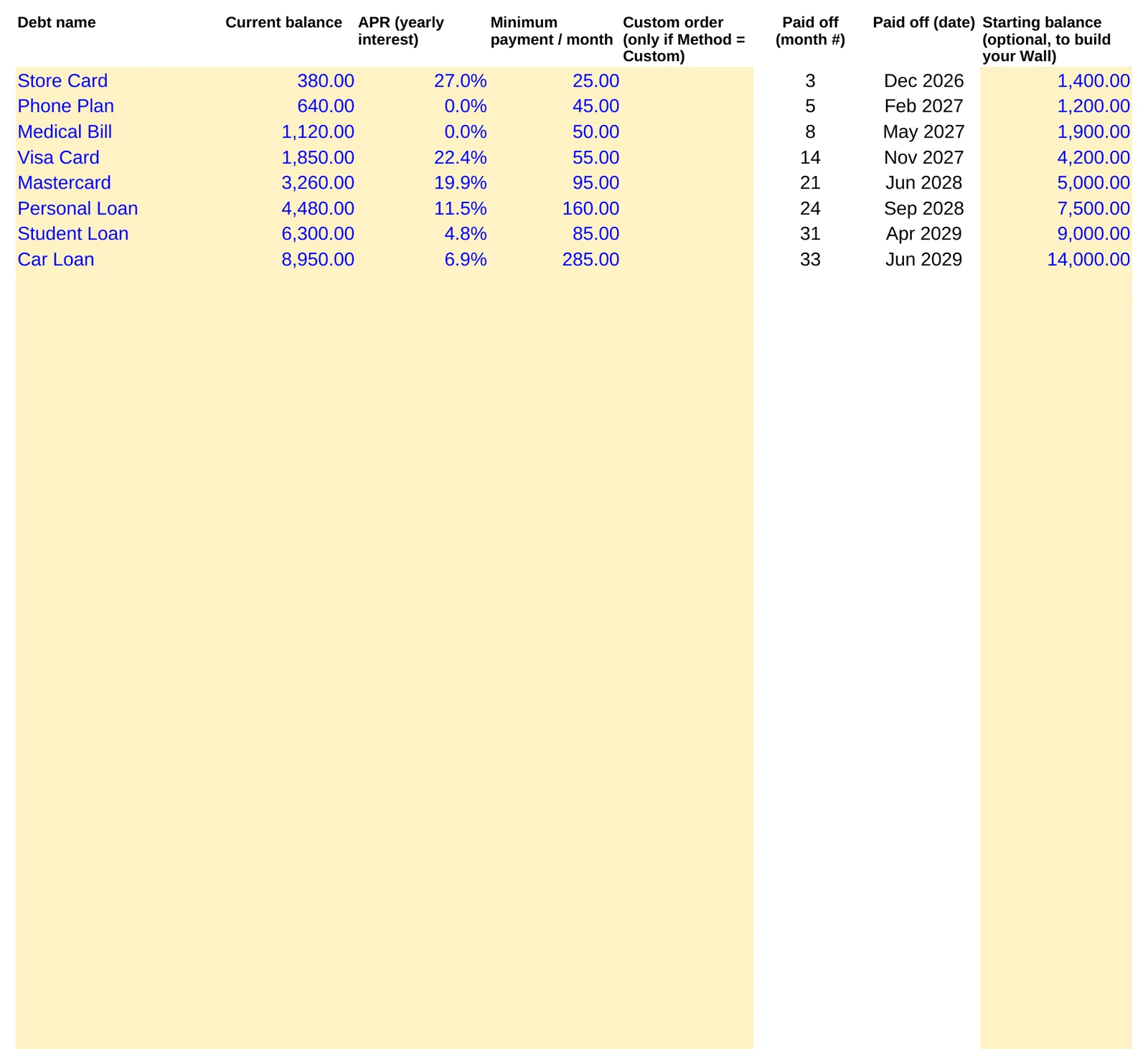
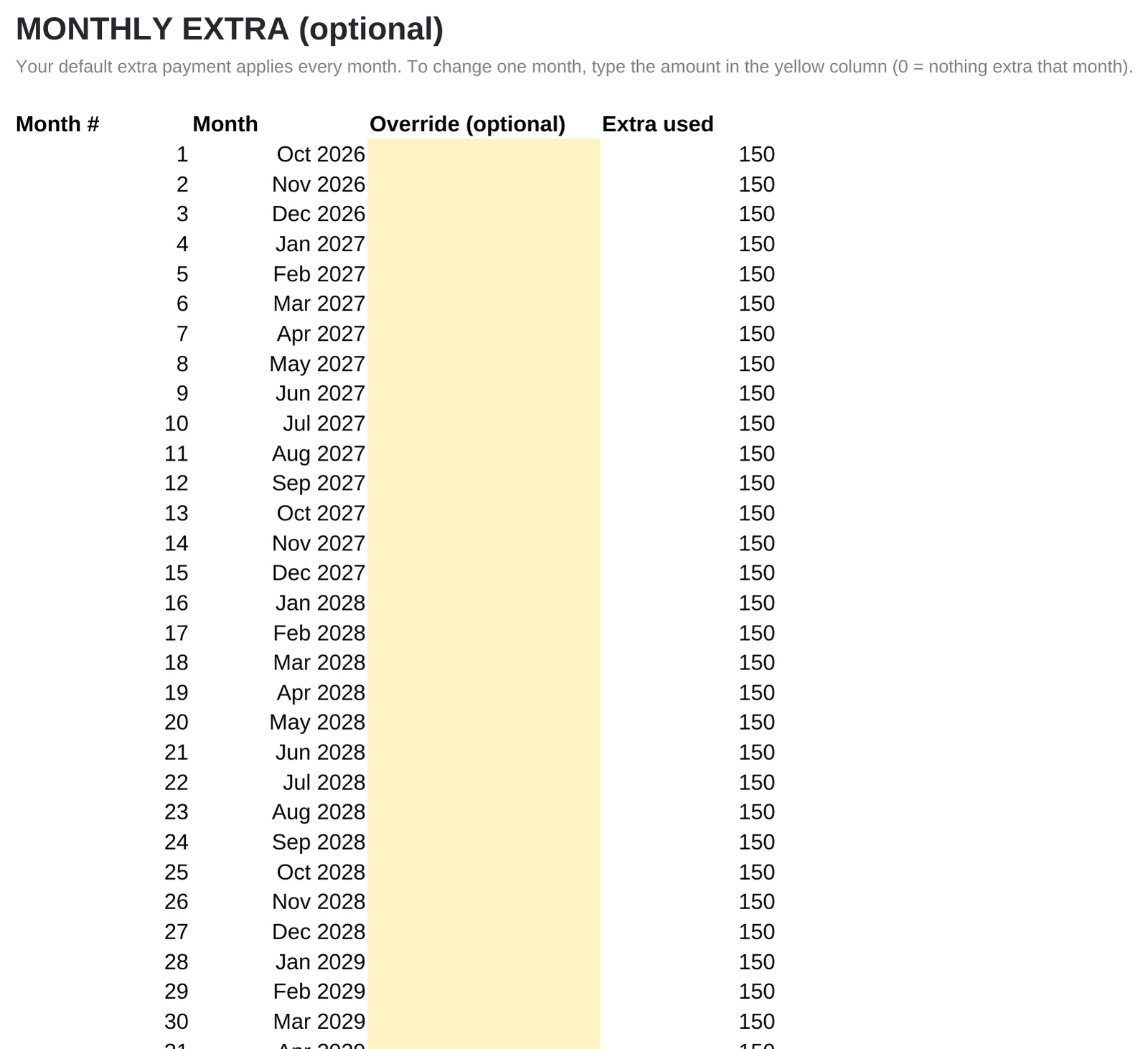
Every image is the real file, with its sample dataClick a tab, click to zoom
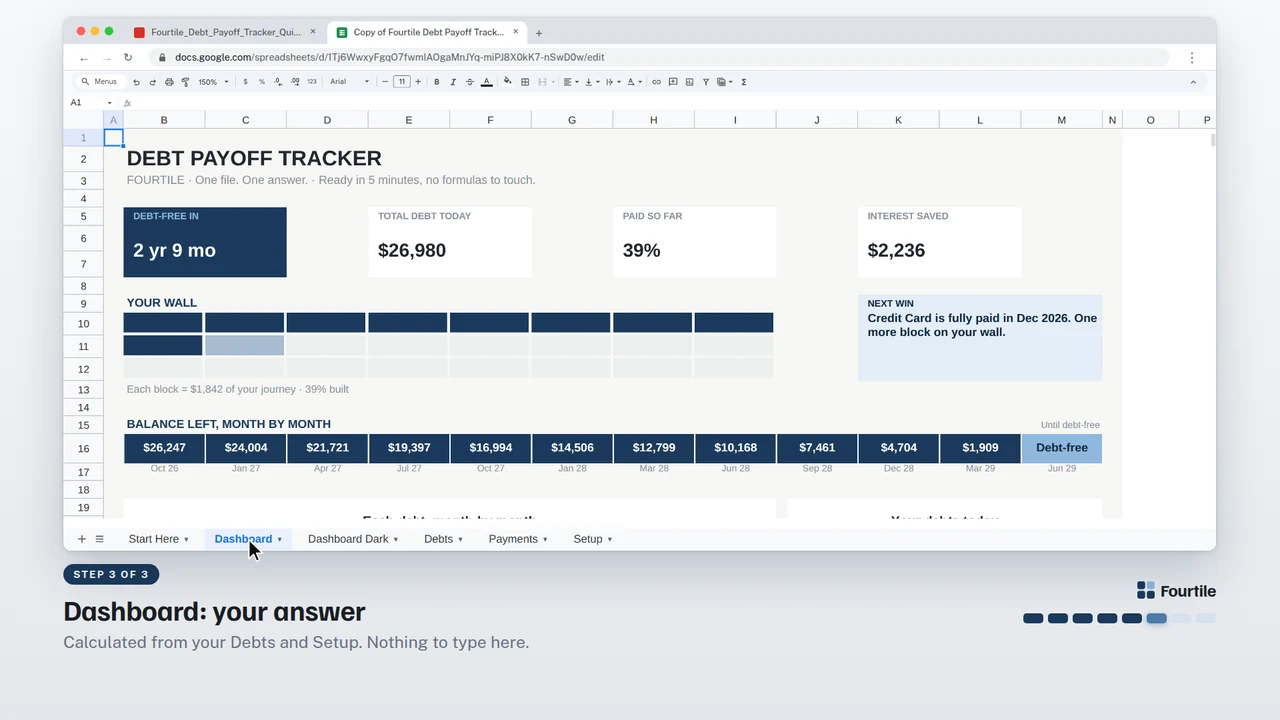
The dashboard
The answer, on the first screen.
Everything on this page is calculated from the tabs you fill in. Here is what each part tells you, shown with the sample data.
- 1Debt-free inYour answer: how long until the last debt is gone with your plan.
- 2Interest savedCompared with paying only the minimums, next to total debt and paid so far.
- 3Your Wall24 blocks that fill up as you pay; each block is 1/24 of your journey.
- 4Next winThe next debt to disappear, and the month it happens.
- 5Balance, month by monthFrom today to the month you are debt-free.
- 6ChartsEach debt month by month, and how your balance splits today.
- 7Payoff orderEvery debt with its payoff date, months won vs minimums, and progress.
How it works
Three steps, about 5 minutes.
12 minutes
Type your debts
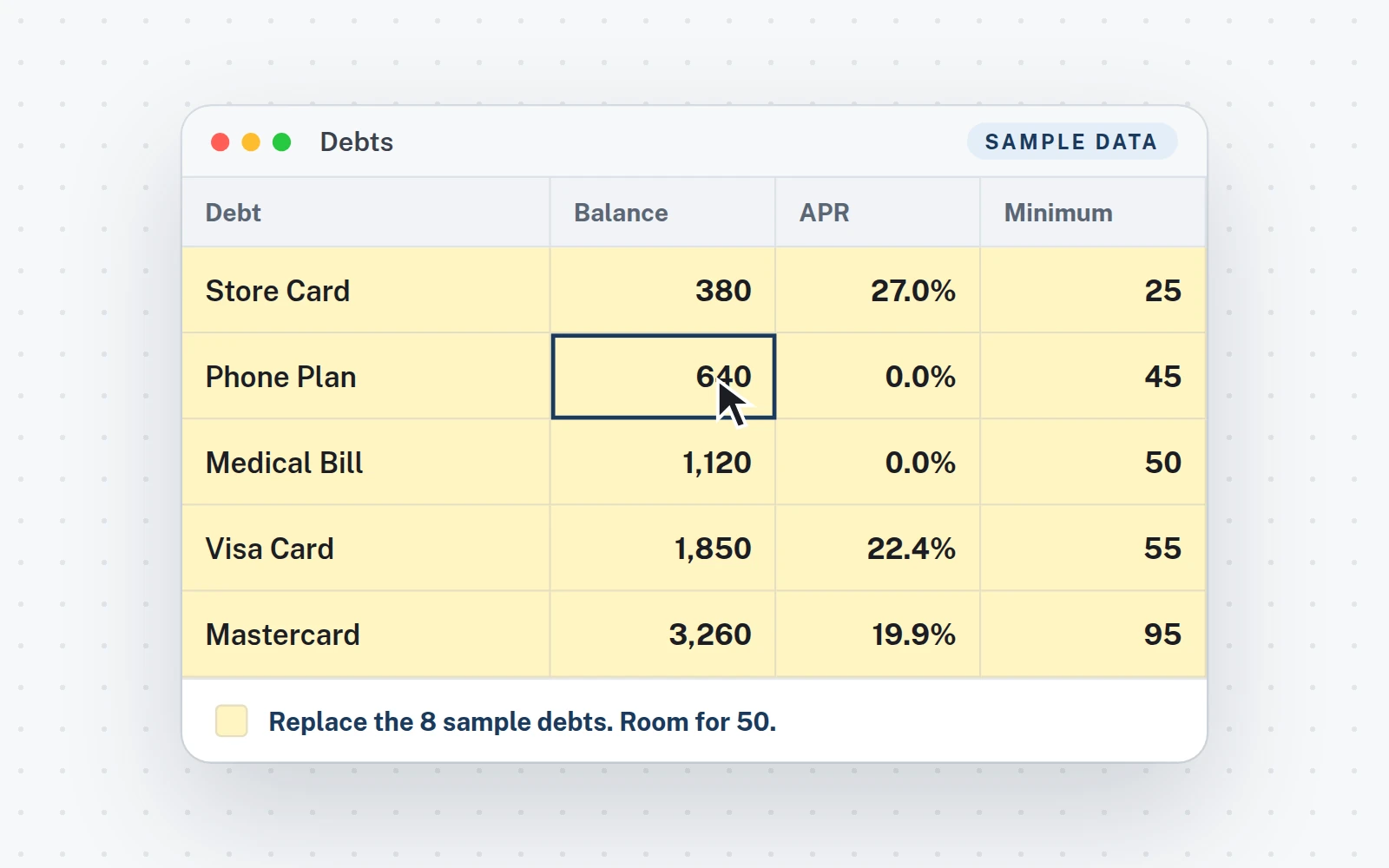
Debts tab: name, balance, APR and minimum payment. Replace the 8 sample debts, up to 50.
21 minute
Pick your plan
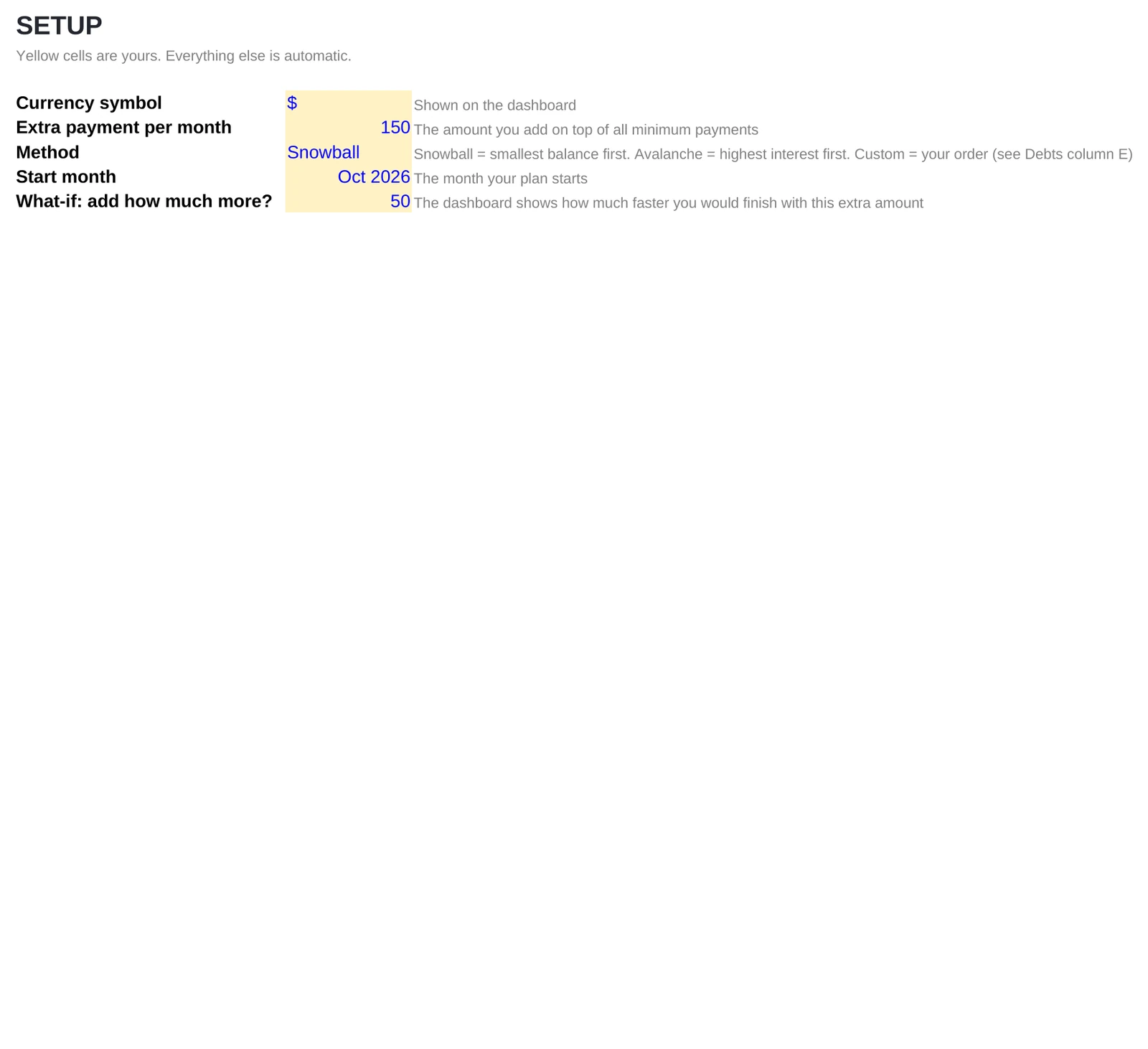
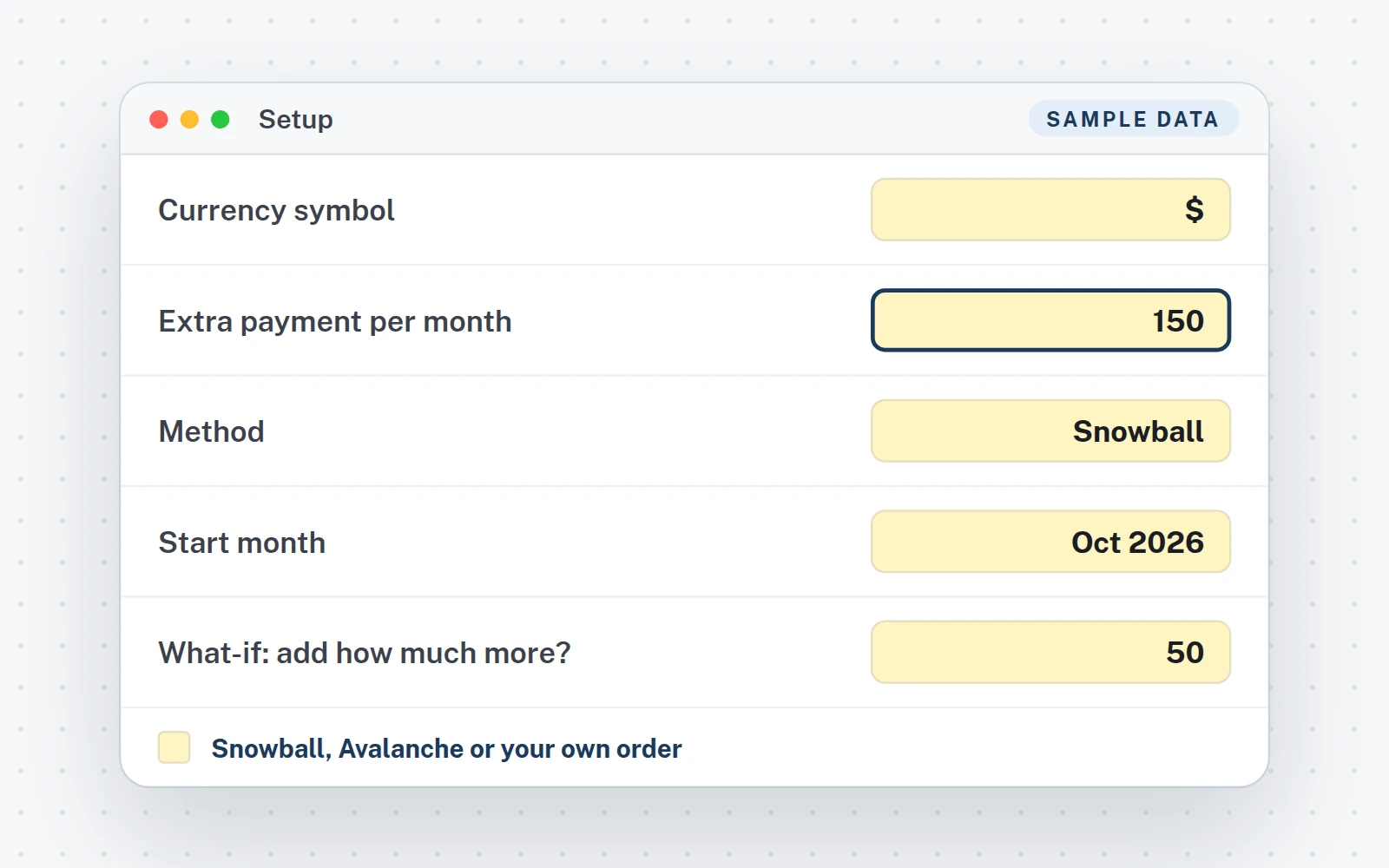
Setup tab: currency, extra payment, method and start month. The what-if amount is there too.
3Instant
Read your date
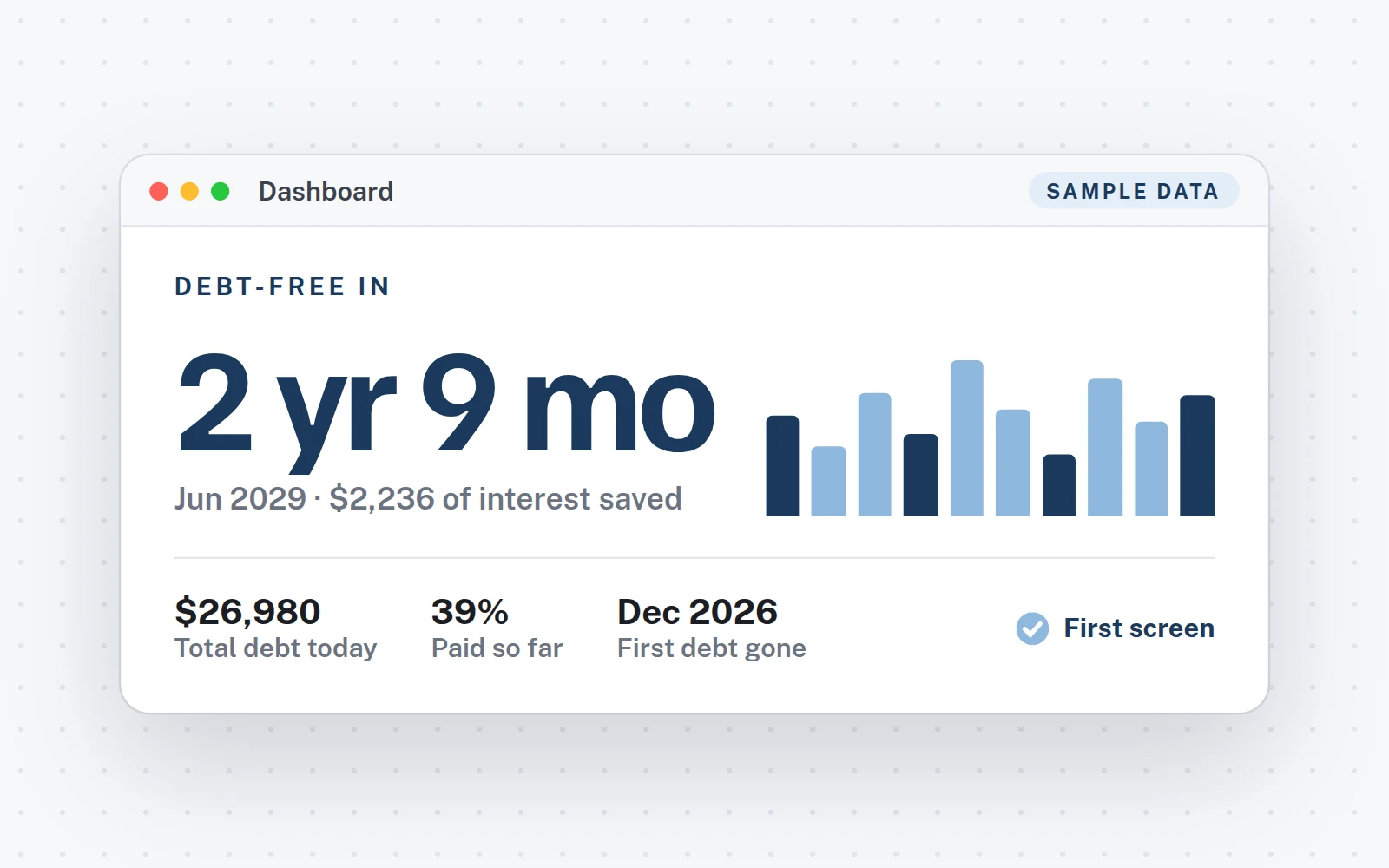
Dashboard tab: your debt-free date is the first thing on the page.
What you get
Everything in the download.
The files
- XLSXThe Excel fileTabs: Start Here · Dashboard · Dashboard Dark · Debts · Payments · Setup.
- Your Google Sheets copyClick the link in your PDF, then Make a copy: it is yours, in your Drive.
- Quick Start guideA 5-page PDF: your links, then the setup step by step.
- Video tutorial (1:38)From the download to your answer.
- Free updatesNew versions at no cost, where you bought the file.
Works in
- Excel 2016 or newerWindows and Mac. Made for a computer screen.
- Google SheetsIn your browser, with a free Google account.
- Real formulas, nothing lockedThe calculations sit in one hidden tab you can unhide.
- $€£Any currency, any regional settingType your symbol once. Labels are in English; the formulas work in any Excel or Google Sheets language. No macros, no add-ins.
Try it
Move the extra payment. Watch the date move.
This is the Debt Payoff Tracker's own math, running on its 8 sample debts ($26,980). Your file does the same with yours.
Method
Minimums onlyFeb 2034last debt gone
With the plan56 monthssooner, same 8 debts
Snowball pays the smallest balance first. Avalanche pays the highest interest first. Even with $0 extra, the plan beats minimums only: when a debt is paid off, its minimum rolls over to the next one. In the file you can also set your own order, and change any single month in the Payments tab.
Debt-free in
2 yr 9 mo
Jun 2029last payment
Interest saved vs minimums only$2,236
Payoff order
 1:38
1:38
Video tutorial · 1:38
Watch the whole setup.
- 0:00Your download: the tracker, the Quick Start PDF and your Google Sheets copy
- 0:16Start here, then step 1: type your debts over the sample
- 0:42Step 2: extra payment, Snowball, Avalanche or Custom, and the what-if
- 1:00Step 3: read your debt-free date, and dark mode
- 1:26Optional: pay more, or less, one month
FAQ
Questions about this file.
Can I use my own debts right away?
Yes. Type over the 8 sample debts in the Debts tab, or delete them and type yours: name, balance, APR and minimum payment. Up to 50 debts.
Snowball, Avalanche or my own order?
Pick one in Setup. Snowball pays the smallest balance first, Avalanche the highest interest first, Custom follows the order you type. The dashboard also shows the other method, calculated for real, so you can compare.
What if I pay more, or less, one month?
Type that month's amount in the yellow column of the Payments tab. The plan and your date recalculate on their own.
Which debts can I track?
Any debt with a balance, a rate and a minimum payment: credit and store cards, personal, car and student loans, medical bills, 0% plans.
How does the Wall fill up?
From the optional starting balances in the Debts tab: each of the 24 blocks is 1/24 of the way from where you started to zero. Update your balances and it fills up.
Is it made for phones?
No. It is built for a computer screen: Excel 2016 or newer on Windows or Mac, or Google Sheets in a browser.
Is this financial advice?
No. It does the math on the numbers you enter. The decisions stay yours.
Debt Payoff Tracker · $6.99
One-time purchase · instant download · Excel and Google Sheets · free updates
Also from Fourtile
Another question, another file.